Category: Coaching

  • Charts & Indicators – Spring/Summer 2026

    Charts & Indicators – Spring/Summer 2026

    Charts and Indicators: Spring 2026 Edition

    Welcome, disciples of the candle. If you’ve found your way here from the livestream, you’re likely tired of staring at a chaotic mess of flickering red and green lights that looks less like a financial instrument and more like a malfunctioning Christmas tree in a dive bar.

    Setting up your TradingView correctly isn’t just a “good idea”—it is a moral imperative. To trade on a default chart is to invite psychological ruin and quite possibly the collapse of the Republic. Here is how I structure my digital sanctuary.


    The Aesthetic: Gold and Blue (The Only Way to Live)

    First, we use Heiken Ashi candles. Why? Because standard Japanese candlesticks are a jagged, anxiety-inducing assault on the human spirit. Heiken Ashi smooths out the noise, allowing us to see the trend with the clarity of a mountain spring.

    As for the colors, I’ve moved past the pedestrian “red vs. green” paradigm.

    • Bullish candles are Gold: Because it’s XAU, and I have a refined sense of irony.
    • Bearish candles are Blue: To represent the deep, chilling ocean of tears shed by those who didn’t follow the trend.

    Temporal Boundaries: The 6PM Line in the Sand

    A chart without vertical lines is a lawless wasteland where time has no meaning and anarchy reigns. I draw vertical lines to separate the days, with each new session commencing at 6PM ET. If your chart doesn’t clearly delineate where Tuesday’s failures end and Wednesday’s hopes begin, you are essentially wandering through a dark forest without a compass or a soul.

    To further categorize our daily suffering, I use Session Markers for Asia, London, and New York. If you aren’t tracking exactly when the London volatility arrives to punch you in the throat, you aren’t really trading; you’re just gambling with extra steps.

    The Sacred Pivots and Sunday Rituals

    To find our bearings in the 2026 markets, I overlay the Monthly, Weekly, and Daily pivot lines. If you don’t know what a pivot is or how to set them up, please tune into the livestream; I cannot be expected to explain the foundational geometry of the universe in a single blog post without suffering a minor stroke.

    I also mark the Sunday Open and the Previous Sunday Open with an Orange Line. This is a non-negotiable ritual. Additionally, I draw orange lines for:

    • Previous Day Point of Control (PDPOC)
    • Previous Day Value Area High (PD VAH)
    • Previous Day Value Area Low (PD VAL)

    I use the Fixed Range Volume Profile tool for these. It is the only way to accurately measure where the “smart money” spent its time before they decided to ruin our collective afternoon.


    The Indicators: The Council of Truth

    Let’s talk TradingView indicators.

    1. EMA 9 Close: Because if you don’t know where the 9-period moving average is, you are essentially trading with a blindfold on in the middle of a freeway.
    2. Support/Resistance with Breaks & Bounces [V1]: A vital tool for identifying where the price will inevitably stall and mock our expectations.
    3. S/R (Standard Support & Resistance): The foundational pillars of reality. Without these, the chart is just a series of meaningless squiggles.
    4. Linear Regression Channel: To give us a mathematical boundary for our delusions of grandeur.
    5. Swing Ranges [ChartPrime]: Crucial for identifying the high and low water marks of our psychological endurance during a trend.
    6. TDFI v2: Because we need a trend direction force index that actually understands the gravity of our situation.
    7. CVD 1D & Volume Delta: This allows me to see the Cumulative Volume Delta—essentially the raw, unbridled aggression of buyers versus sellers. If you aren’t watching the Delta, you are ignoring the heartbeat of the market.

    The Command Center: Multiple Screens of Destiny

    I don’t just watch one chart; I oversee an empire. My workspace is a precision-engineered grid of XAU (Gold) charts: 1h, 15m, 5m, 1m, 10sec, and Renko. I also keep the MGC 10-second chart open, because most of the time, even though we do our charting on spot gold, we’re trading futures. In a sense, that’s my main focus whenever I’m in the middle of a trade.

    To maintain my sanity, I keep the 1m DXY (US Dollar Index) chart in front of me at all times—one must always keep an eye on the enemy. Finally, I have the FXBlue Relative Currency Strength indicator active, filtered exclusively to show the XAU/USD relationship. It is the only relationship in my life that I can accurately quantify using a percentage-based oscillating histogram.

    Set your charts up this way, or continue to live in a state of primitive, unoptimized darkness. The choice is yours.

    The Command Center: Big Boy Work on a MacBook Pro

    Now, let’s talk hardware. If you’ve seen the screenshots of my setup, you might assume I’m running this operation from a server room in a high-frequency trading firm or perhaps a repurposed NASA control center. In reality, the heart of this beast is a 14-inch 2021 MacBook Pro.

    Yes, you read that correctly. While others use their MacBooks to write coffee-shop screenplays or scroll through TikTok, mine is currently performing what I like to call “Big Boy Work.” We are talking about a machine with an M1 Max chip and 64GB of RAM that is being pushed to the absolute edge of its digital existence.

    The Screen Galaxy: 8 Screens of Absolute Overkill

    To trade XAU with the precision I demand, I have surrounded myself with a literal wall of glass. My station consists of:

    • The MacBook Pro Built-in Display: The brain of the operation.
    • Three 27-inch Apple Thunderbolt Displays: For that vintage “I’ve been doing this since the music tech days” aesthetic.
    • One 43-inch Samsung 4K TV: Because sometimes you need to see a 10-second candle the size of a baguette.
    • Two PC Screens: Running MT4 and a “slew” of charts dedicated specifically to support and resistance zones.
    • The iPad: My digital journal for real-time notes. If it isn’t written down, the trade didn’t happen.
    • There is a TV on the wall in front of my station. It is usually just playing the YouTube livestream of the broadcast so I can make sure it’s working.

    This brings the total to seven main screens plus an iPad. Two of the Thunderbolts serve as the “Command Center” for my longer time frames, while the three screens to my left are my “Execution Zone.” The main execution screen is the one you see on the livestreams—the one where the magic (or the occasional heartbreak) happens.

    The Digital Load: A Constitutional Crisis for CPUs

    It’s not just the screens; it’s the sheer weight of the data. At any given moment, this MacBook is simultaneously:

    • Running TradingView (obviously).
    • Managing 20+ Chrome tabs containing brokers, prop firms, and trade copiers.
    • Consulting with Gemini and ChatGPT (my AI brain trust).
    • Organizing my life in Evernote.
    • Streaming music from Spotify.
    • Hosting a Zoom Room.
    • Encoding a high-definition stream to YouTube via OBS.

    Most computers would have burst into flames and filed a grievance with the labor board by now. Mine just keeps humming along, processing the gold markets while I try to maintain my composure.

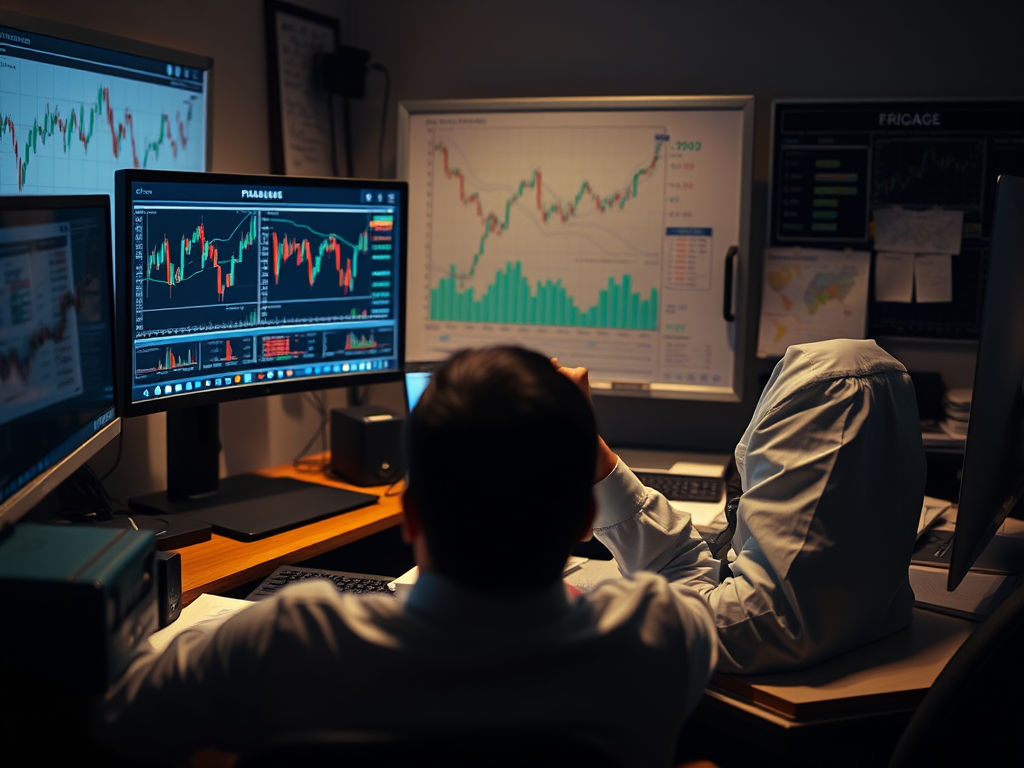
    A trading setup featuring multiple high-resolution monitors displaying financial charts and data, set in a dimly lit room with a laptop and desk accessories.

    A Note for the Sane

    Here is the truth: You do not need this much firepower to trade effectively. If you are starting out, two screens are perfectly fine. You can reach profitability without looking like you’re trying to hack into the mainframe in a 90s action movie.

    I have this setup because I am a deeply specialized individual who finds comfort in “tricking out” my station to soothe the existential dread that comes with scalping gold. It’s a hobby, an obsession, and a cry for help, all wrapped into one glorious 4K resolution.

    Get two screens. You’ll be fine. I’ll be here, surrounded by monitors, trying to remember what sunlight looks like.

    See you on the stream.

  • The Final Mile: Where Most Traders Turn Back

    The Final Mile: Where Most Traders Turn Back

    Nobody warns you about this part.

    They talk about blowing accounts.
    They talk about finding an edge.
    They talk about discipline, psychology, mindset, journaling, and meditation candles.

    What they don’t talk about is the final mile — the stretch where you’re no longer bad at trading, but you’re not reliably paid yet either.

    That’s the cruel part.

    The final mile isn’t dramatic failure.
    It’s quiet instability.

    You’re good enough to know what should happen.
    Good enough to see the move.
    Good enough to manage risk.
    Good enough to survive bad weeks.

    But not yet good enough to feel safe.

    This Is What the Final Mile Actually Feels Like

    It feels like drifting in and out of competence.

    One day:

    • You’re calm
    • You wait
    • You execute cleanly
    • The market rewards you

    The next day:

    • You’re early
    • You’re tired
    • You know you’re early
    • You enter anyway

    Same strategy.
    Same rules.
    Same trader.

    Different outcome.

    That inconsistency messes with your head far more than ignorance ever did.

    When you were bad, losses made sense.
    Now they feel personal.


    The Confidence Trap

    Here’s the paradox nobody prepares you for:

    In the final mile, confidence becomes unstable.

    You don’t lack confidence — you have too much of it, intermittently.

    You’ve seen the system work.
    You’ve booked the big wins.
    You’ve proven the edge.

    So when a setup almost looks right, your brain fills in the rest.

    “This is close enough.”
    “I’ve seen this before.”
    “I don’t want to miss it.”

    That’s not recklessness.
    That’s earned belief being misapplied.

    And the market charges full price for that mistake.


    You’re Not Undisciplined — You’re Early

    Most traders think the final barrier is discipline.

    It isn’t.

    It’s timing discipline, which is a different animal entirely.

    In the final mile:

    • You don’t break stops
    • You don’t size up recklessly
    • You don’t panic

    You just… arrive too soon.

    You stand on the platform before the train pulls in, convinced you hear it coming.

    Sometimes you do.
    Often, it snaps back and leaves without you.

    That’s entry drift.
    And it quietly ruins more near-profitable traders than outright gambling ever does.


    The Emotional Tax of Almost There

    This phase is exhausting because the feedback loop is cruel.

    You do many things right.
    The market confirms your thesis.
    And yet… your P&L says otherwise.

    You start questioning things that aren’t broken:

    • Your edge
    • Your system
    • Yourself

    Meanwhile, the real leak is small, boring, and brutally hard to sit with:

    Waiting.

    Waiting when you’re alert.
    Waiting when you’re tired.
    Waiting when the move feels obvious.
    Waiting even though you’re afraid the real move won’t wait for you.


    Why So Many Traders Quit Here

    From the outside, it looks irrational.

    “Why would someone quit when they’re so close?”

    Because this phase doesn’t feel like progress.
    It feels like punishment for caring.

    The losses hurt more.
    The wins don’t soothe as much.
    And the emotional whiplash between “I’ve got this” and “what am I doing?” is constant.

    This is where traders don’t blow up — they burn out.

    They don’t lose money dramatically.
    They lose belief quietly.


    What Actually Gets You Through the Final Mile

    It’s not more indicators.
    It’s not more screen time.
    It’s not tougher self-talk.

    It’s a shift in identity.

    You stop seeing yourself as:

    “Someone trying to make money”

    And start seeing yourself as:

    Someone enforcing a contract

    Your job becomes boring on purpose:

    • Enforce time rules
    • Enforce trade limits
    • Enforce session boundaries

    Not because the market demands it —
    because your nervous system does.

    Profitability emerges when execution becomes dull.


    The Good News (Yes, There Is Some)

    If this phase feels familiar — congratulations.

    You’re not lost.
    You’re not broken.
    You’re not regressing.

    You’re in the final mile.

    And the final mile isn’t conquered by brilliance.
    It’s crossed by restraint.

    Quietly.
    Reluctantly.
    One boring, well-timed decision at a time.

    If you’re still here — still trading, still refining, still honest about the leaks — you’re closer than you think.

    Just don’t turn back now.

  • The Invisible Cost: Why Trading is So Exhausting

    The Invisible Cost: Why Trading is So Exhausting

    If you’ve ever stood up after a short trading session and felt like you just finished a triathlon — despite not having moved anything except your eyeballs and one trembling index finger — you’re not imagining it.

    Trading is one of the most mentally exhausting activities on Earth.

    You’re not tired because you’re weak.

    You’re tired because the market quietly siphons off your mental, emotional, and spiritual energy like it’s running a Ponzi scheme on your frontal cortex.

    I call it the Invisible Tax — the silent killer of discipline, consistency, and whatever is left of your sanity.

    Let’s break down what this beast actually takes from you every session.

    1. The Intellectual Tax: Where Your Brain Performs Cirque du Soleil

    Trading isn’t “I have a strategy.”

    Trading is “I’m adapting to chaos in real time while pretending I’m calm.”

    Every minute at the screens, your brain is doing olympic-level processing:

    • Pattern Recognition While Under Fire

    You’re filtering noise, fake-outs, liquidity traps, algo stabs, and random gold spasms — all in search of a single clean signal that lasts maybe 7 seconds.

    This alone drains the same neural pathways used for deep thinking, complex math, and surviving family holidays.

    • High-Frequency Decision Making

    As a scalper, you make more decisions in 30 minutes than most people make before lunch.

    Enter? Don’t enter? Is that volume or noise?

    Are we breaking out or cosplaying a breakout?

    Science says each decision drains your mental battery.

    Great — because trading requires about 400 of them an hour.

    • Multi-Account Risk Management

    If you’re trading multiple accounts (hello, 30-account Barcelona special), this isn’t a job.

    This is speed-chess across thirty boards while the clock is itching to punch you in the face.

    Your brain is working at a level most people will never experience — and they absolutely wouldn’t survive it.

    2. The Energy Tax: Fear, Greed, and Other Olympic Sports

    The market doesn’t just drain your brain.

    It drains your nervous system.

    Every candle has the potential to make you rich, poor, or insane. Sometimes all three.

    • The Fear Response

    Price moves against you?

    Boom — amygdala activated.

    You’re suddenly one tick away from questioning your entire identity.

    The discipline to hit your stop instead of negotiating with yourself like a hostage taker?

    That burns energy like a rocket launch.

    • The Dopamine Trap

    When a trade is working, your brain whispers:

    Hold it longer…

    Double down…

    You’re a genius…

    It takes enormous willpower to stick to your actual plan instead of letting dopamine steer the ship straight into an iceberg.

    This emotional regulation — not the candles — is what empties your tank.

    3. The Emotional Tax: Paid in Regret, Self-Loathing, and Tuition Fees

    Losses hit differently when you care about the craft.

    Especially the preventable ones.

    Especially the ones where you know — you absolutely know — that you defeated yourself.

    That sting?

    That’s the emotional tax.

    It’s highest when you break a rule you’ve already learned the hard way.

    It’s the universe saying:

    “The market rewarded you for breaking your rules on Tuesday,

    and now it’s charging you $650 in tuition for breaking the same rule on Thursday.

    Please come again.”

    That’s when the rage appears.

    The urge to “make it back.”

    The fantasy of taking one more trade to restore justice to the world.

    That’s the moment you know:

    Your emotional battery is bankrupt.

    And that’s when most traders blow up.

    What Now? Protect the Battery

    If you want trading to stop feeling like a psychological demolition derby, you must make it less emotional.

    Not easier.

    Not safer.

    Just less emotional.

    How?

    1. Enforce the Lockout

    When you hit your daily loss limit, you stop.

    Not “after one more trade.”

    Not “when the setup looks perfect.”

    Now.

    This is the highest form of professional discipline. It’s the ritual that saves your future accounts from the revenge-trading monster that lives inside you.

    2. Trust the Process (Even When It Feels Cruel)

    Your P&L is not the scorecard.

    Your execution is.

    You’ve proven you can take a loss.

    Now prove you can take the lesson.

    Your system works when you work.

    Protect your mind first — profits come later.

    Final Thought

    Trading doesn’t just test your strategy —

    it tests your endurance, your emotional bandwidth, and your ability to stay sane while gold does its nightly impression of a drunken dragon.

    So if you’re exhausted after a “simple” session?

    Good.

    You’re doing it right.

    And tomorrow, if you protect your battery, you’ll do it even better.

  • Entry Drift: The Devil You Don’t Meet Until You’ve Actually Become Good at This

    Entry Drift: The Devil You Don’t Meet Until You’ve Actually Become Good at This

    Most traders never make it far enough to know what entry drift is.

    They blow up long before it becomes a problem.

    That’s not a criticism — that’s just the actuarial math of the industry. Most people hit the eject button somewhere between “revenge trading because the market disrespected them personally” and “doubling position size to win back lunch money.” The vast majority of aspiring traders never graduate to the advanced challenges, like patience, timing, or not screaming into a pillow when gold fakes a breakout for the sixth time in an hour.

    But once you’ve survived the early chapters — once you’ve stopped lighting accounts on fire, once you’ve tamed tilt, once you’ve gotten your win-rate to something that doesn’t make family members uncomfortable — you enter a new stage of suffering:

    Entry drift.

    Entry drift is the special kind of hell reserved only for traders who have actually improved.

    It’s the demon that shows up after you’ve built discipline, after you’ve studied structure, after you finally understand why everyone yelled “wait for confirmation.”

    Entry drift says:

    “Hey champ, love what you’re doing with the whole self-control thing. Mind if I ruin your day?”

    And then it does.


    So, what is entry drift?

    Entry drift is when your mind understands the setup… but your hand enters the trade two candles before it actually exists.

    It’s when you see the right idea but enter at the wrong moment.

    It’s leaning forward instead of waiting for the market to nod, wink, and say, “Yes, yes, now.”

    It’s like showing up early to a surprise party and then getting mad that no one’s there yet.

    Entry drift looks like this:

    • Your bias is correct
    • Your read is correct
    • Your structure is correct
    • The move does happen
    • You are not on it
    • Because you jumped early
    • And got slapped back to flat before the real move started

    It’s the equivalent of buying front-row concert tickets, arriving two hours early, and getting kicked out during sound check because you weren’t supposed to be in the building yet.


    Why most traders never get here

    Because to experience entry drift, you must first reach the stage where:

    • You actually know what a good setup looks like
    • You have rules
    • You follow most of them
    • You don’t tilt like a teenager playing Call of Duty
    • You aren’t blowing accounts every six days
    • You aren’t “manifesting” profits with positive vibes and bad entries

    Entry drift is a problem you only earn by passing the first dozen levels of trading misery.

    You don’t get entry drift on Day One.

    Day One problems are things like:

    • “What’s a candle?”
    • “Oops I went long instead of short.”
    • “Why is my account balance zero?”

    Entry drift comes later — right after “I finally know what I’m doing” and right before “why did I take that trade, dear God why.”

    In other words:

    It’s a mid-game boss fight.


    Why entry drift feels so psychologically cruel

    Because you weren’t wrong.

    You were early.

    And there is no pain quite like being early in the markets.

    Being wrong is simple: you shrug, you journal, you move on.

    Being early?

    Your brain goes into a full philosophical meltdown.

    You think:

    • “My analysis was right.”
    • “My timing was wrong.”
    • “If I had just waited 30 seconds…”
    • “Why am I like this?”
    • “Should I become a beekeeper?”

    Early traders get punished even when their brains are correct, and nothing creates self-doubt faster than doing the right thing at the wrong time.


    Entry drift is the final refinement before consistency

    Every consistently profitable trader eventually masters three things:

    1. Direction
    2. Risk
    3. Timing

    Direction is the easiest.

    Risk is the most behavioral.

    Timing is the most excruciating.

    Entry drift is your brain saying, “I see the setup,” while your hands say, “Let’s get in before the market sees it too.”

    But the market is a patient, sadistic creature.

    It will happily take your premature entry, drag you underwater just long enough to make you exit, and then — with perfect comedic timing — launch in your original direction as though nothing happened.

    If trading has a sense of humor, this is it.


    How to fix entry drift (without developing trust issues)

    Here are the steps:

    1. Acknowledge the setup earlier — but act later

    Your brain will always detect structure before it confirms. That’s normal.

    Your job is to separate recognition from action.

    2. Require the market to commit first

    Think of it as dating the setup — not marrying it on sight.

    You want proof, not vibes.

    3. Anchor to your timing rules

    The moment you enter earlier “just this once,” you’ve reopened the portal to hell.

    4. Don’t let boredom impersonate intuition

    Stillness is not a signal.

    Silence is not a signal.

    The absence of movement is not a signal.

    Only signals are signals.

    5. When in doubt, wait for one more candle

    If you’re wrong, the market will move without you.

    If you’re right, the market will come back and invite you in properly.


    Final thought

    Entry drift isn’t a failure.

    It’s an arrival.

    It means you’re smart enough to see the setup,

    disciplined enough to execute most of the rules,

    and close enough to consistency that the remaining problem is microscopic:

    You’re early, not wrong.

    Most traders never survive long enough to face this problem.

    If you’re dealing with entry drift, congratulations —

    you’ve made it far enough to be tortured by the real stuff.

    Welcome to Level 12.

    The suffering means you’re almost there.

  • Why You Can’t Rewire Your Brain — And Why You Don’t Need To

    Why You Can’t Rewire Your Brain — And Why You Don’t Need To

    Look, I’ve watched the videos.
    You’ve watched the videos.
    We’ve all watched the videos.

    Some guy in a black hoodie sitting in a rented penthouse tells you:

    “You must REWIRE your brain to trade like a sniper.”

    And you think, “Ah yes, this is it. This is my villain origin story. By Tuesday I’ll be a Zen assassin.”

    Then Tuesday comes.
    You start strong.
    You breathe.
    You visualize.
    You channel Buddha.

    And by 9:12 AM you’re clicking like a caffeinated raccoon in a trash can, down three trades, swearing at the screen, and Googling whether it’s possible to legally file charges against gold.

    So let’s finally say the quiet part out loud:

    You cannot ‘rewire’ your brain.

    Not the way they’re selling it.

    Dopamine overrides can’t be meditated away.
    Tilt cannot be journaled out of existence.
    Fight-or-flight does not wait politely for your affirmations.

    When your limbic system fires, it’s not asking your permission.
    It’s flipping the breaker and locking the door.

    And once dopamine hijacks you?

    That whole “rewire your brain” fantasy evaporates faster than your TopStep account on NFP day.


    So… what DOES work?

    Systems.

    Guardrails.
    Constraints.
    Engineering.

    That’s it.
    That’s the entire secret.

    The traders who survive — the ones who actually make money — aren’t superheroes who rewired their instincts.
    They’re people who learned to build cages around their worst impulses so their best self can show up consistently.

    I didn’t fix my brain.
    I fenced it in.

    And guess what?

    Trading suddenly got a whole lot easier.


    The Fantasy vs. The Science

    The fantasy (YouTube version):

    • Rewire your neural pathways
    • Become emotionless
    • Eliminate fear
    • Upgrade your brain
    • Trade like a monk-warrior-cyborg

    The science (actual neuroscience):

    • Once dopamine spikes, the rational brain is offline
    • Tilt is involuntary
    • Impulse overrides happen faster than conscious awareness
    • Willpower is the last reliable tool in high-stress decisions
    • Humans don’t change “internally” — their environment changes their behavior

    If you want consistency, you have to design around your biology, not fight it.


    Want to hear a real breakthrough? Here it is:

    I used to think I needed to fix myself.
    Become calmer.
    Become wiser.
    Become the person who could take five losses in a row without breaking.

    Spoiler:
    I am not that person.
    I will never be that person.
    My wiring doesn’t work that way.

    But here’s what I AM:

    A very good trader when I’m not hijacked by dopamine.

    So instead of trying to retrain my brain, I built a system that does not let hijacked-Mike touch the mouse.

    A $250 automated stop loss on a per trade basis and a $600 master-account daily loss limit.

    That’s it.
    That’s the whole hack.

    And it works.

    Not because it makes me stronger.
    Because it stops me when I’m weak.

    The guardrail is the strength.


    You don’t transform your brain.

    You transform your environment.

    Pilots don’t “rewire” their brains to avoid crashing planes.

    Surgeons don’t “rewire” themselves to never make errors.

    They use:

    • checklists
    • constraints
    • procedures
    • circuit breakers
    • lockouts
    • verification steps
    • structural safeguards

    Why?
    Because humans under pressure make predictable mistakes.
    And smart systems prevent those mistakes from becoming fatal.

    Trading is no different.

    The moment I stopped trying to become superhuman, I started becoming consistent.


    The real reason this truth isn’t popular on YouTube

    Because “rewire your brain” sells a fantasy.
    “Install a $600 forced stop” sounds like broccoli.

    But broccoli wins.
    Fantasy loses.

    The trading gurus want you chasing enlightenment.
    The markets want you following rules.

    One will take your money.
    The other will protect it.


    Final Thought

    If you’re struggling, if you’re tilting, if you’re blowing accounts and saying “I KNOW better, why can’t I DO better?”…

    It’s not because you’re broken.

    It’s because you’re human.

    And the system you need isn’t inside your skull —
    it’s in the guardrails you build around it.

    Stop trying to rewire your brain.
    Start engineering your environment.

    Your future equity curve will thank you.

  • Why Your Brain Goes to War With You: The Dopamine Trap Every Trader Needs to Understand

    Why Your Brain Goes to War With You: The Dopamine Trap Every Trader Needs to Understand

    Here’s something I wish someone had told me two years ago, preferably before I lit a small village of prop accounts on fire:

    Trading isn’t just a market skill.
    It’s a neurochemical hostage situation.

    Most people think they blow accounts because they “lack discipline” or “don’t stick to the rules.”
    Cute. Sure. Let’s pretend this is about willpower.

    The truth is far weirder, far darker, and honestly… kind of liberating.

    So let me tell you the thing that finally clicked for me — the thing that changed everything:

    My problem wasn’t discipline.
    It was dopamine.

    Not the nice, friendly “reward” dopamine you get from chocolate or sex.
    I’m talking about the full-blown, limbic-takeover, hijack-the-cockpit dopamine. The kind where your brain flips from monk to maniac with no warning whatsoever.

    Sound familiar?
    Yeah. Pull up a chair.


    The Tilt Switch No One Talks About

    Most traders describe tilt like it’s a slow slide.
    A little frustration here…
    Some agitation there…
    Boom — bad decision.

    Not me.

    I don’t slide into tilt.
    I teleport into it.

    One second I’m calmly waiting for my A setup.
    The next second I’m flooring it down Tilt Expressway at 125 mph, flinging orders like Mardi Gras beads.

    There’s no buildup.
    No early warning signs.
    Just click — and the rational part of my brain is hogtied in the trunk while dopamine drives the getaway car.

    And when I’m in that state?

    • I can’t walk away.
    • I can’t stop trading.
    • I can literally hear myself saying “STOP” out loud… and keep going anyway.

    It’s embarrassing.
    It’s also extremely normal — for the kind of brain I have.


    The Real Enemy Isn’t the Market — It’s the Hijack

    Most traders think they tilt because they’re emotional or undisciplined.

    But that’s not what’s happening.

    What’s happening is this:

    • Your limbic system (emotion/impulse)
      — suddenly overrides —
    • Your prefrontal cortex (logic, discipline, long-term thinking)

    Once dopamine spikes, your logical brain is gone.
    Not weakened — gone.

    It’s not that you “won’t stop.”
    You can’t stop.
    The part of your brain that controls stopping isn’t accessible.

    This isn’t philosophy.
    This is neuroscience.


    Why Hedging Was a Disaster for Me

    This actually explains everything about my past:

    Hedging?

    Absolute hell.
    It amplified every flaw in my wiring.

    A hedge is prolonged discomfort — being stuck underwater for a long time.
    My brain treats that like a threat.
    Threat spikes dopamine.
    Dopamine switches me into “fix-it-NOW” mode.

    And what does a dopamine-charged brain do inside a hedge?

    It widens it.
    Moves it further away.
    Chases relief.

    And eventually stretches the account so far apart it looks like a medieval torture device.

    Of course I blew accounts hedging.
    My brain is chemically incapable of executing that model correctly.

    Once I switched to scalping — quick trades, fixed exits, no hedges — my results exploded.
    Not because I “became better,” but because I finally stopped fighting my biology.


    This Is Why Auto Stop-Loss Changed My Life

    Here’s the part that surprised me:

    The moment I installed an auto-SL, my trading immediately stabilized.

    It wasn’t magic.
    It was simply that the auto stop-loss doesn’t have dopamine receptors.

    It:

    • doesn’t panic
    • doesn’t tilt
    • doesn’t negotiate
    • doesn’t chase
    • doesn’t feel pressure
    • doesn’t care about “fixing” anything

    It exits the trade even when I chemically can’t.

    It’s not discipline.
    It’s outsourcing discipline to a robot so my brain can’t ruin my life.

    And now?
    I use it proudly.


    The Two Versions of Me (And Probably You)

    Trading revealed something uncomfortable but important:

    There are two versions of me:

    Calm Mike

    • sharp
    • disciplined
    • patient
    • precise
    • profitable

    Dopamine Mike

    • impulsive
    • emotional
    • frantic
    • reactive
    • revenge-trading goblin
    • destroyer of worlds and prop accounts

    The game isn’t to “be more like Calm Mike.”
    The game is to prevent Dopamine Mike from ever getting control of the mouse.

    Which brings us to…


    The Kill Switch

    I’m currently building a 2-hour lockout:
    the moment I take two losses or hit emotional distortion, my computer literally blocks access to my trading platform.

    No negotiation.
    No override.
    No “just one more.”
    Brutally effective.

    Because the solution to dopamine hijack is not more willpower — your willpower is offline during tilt.

    The solution is removing your ability to trade while tilted.

    If you struggle like I do, stop lying to yourself.
    You don’t need more discipline.
    You need better engineering.


    The Big Lesson: Trade the Trader You Actually Are

    This is the key breakthrough in my journey:

    You don’t trade the market.
    You trade your brain.

    If you don’t understand your brain’s architecture, you’re trading blind.
    If you fight your biology, you’ll lose every time.

    When you align your strategy with how your mind actually works?

    Everything changes.

    You stop blowing accounts.
    You stop tilting.
    You stop fighting invisible battles.

    And you finally start trading like the version of you that shows up when you’re calm, centered, and chemically stable.


    Final Thought

    Trading isn’t a war against the market.
    It’s a war against your own neurochemistry — and the key to victory isn’t courage or grit.
    It’s building systems that keep your worst self away from the keyboard and let your best self operate freely.

    If this resonates with you, I promise you’re not broken.
    You’re just trading with the wrong tools for your wiring.

    Build the system that matches your biology,
    and the consistency you’ve been chasing suddenly becomes the life you’re living.

  • Trading on Low Dopamine: Why Your Brain Wants You Broke

    Trading on Low Dopamine: Why Your Brain Wants You Broke

    Most people think trading is about charts, analysis, and technical mastery.
    Cute.

    Trading is actually about neurochemistry — specifically, whether your dopamine levels are trying to ruin your life today.

    Let me put it plainly:

    If your dopamine is too high, you’re going to burn your account down.
    If your dopamine is steady and boring, you’re going to trade like a monk with a Bloomberg terminal.

    This is the part nobody tells new traders:
    your biggest enemy isn’t the market.
    It isn’t the prop firm.
    It isn’t liquidity grabs, algos, or the Fed.

    Your biggest enemy is the little chemical in your skull that whispers:

    “Come on… just one more trade.
    You can get it back.
    You’re due.”

    And there it is — the beginning of the end.


    Trading Is the Ultimate Dopamine Trap

    Dopamine isn’t the “pleasure chemical.”
    It’s the anticipation chemical.

    The craving chemical.

    The “please let me feel alive again” chemical.

    And nothing spikes dopamine like trading.

    Not sex, not chocolate, not scrolling Instagram, not buying Bitcoin at the top.

    Trading is a slot machine disguised as finance.
    Every candle is a hit of maybe.
    Every setup is this is the one.
    Every loss is I have to win it back right now or my ancestors will disown me.

    Your brain doesn’t want to trade well.
    Your brain wants dopamine.

    And dopamine wants action, not discipline.


    High Dopamine = You Don’t Stand a Chance

    Let’s break down what happens when dopamine spikes during a session:

    • your prefrontal cortex (a.k.a. the adult in the room) goes offline
    • your impulse control drops
    • your pattern recognition becomes delusional
    • you chase setups that don’t exist
    • you break your rules
    • you tilt
    • you revenge trade
    • you blow the account
    • and then you wonder why the universe hates you

    It doesn’t.
    Your chemistry does.

    There’s a reason you trade like a sniper one day and like a drunk tourist at a blackjack table the next.

    And that reason is inside your brain, not your strategy.


    Successful Trading Is a Low-Dopamine Activity

    When people imagine professional traders, they picture adrenaline junkies pounding buttons like gorillas.

    In reality?

    The profitable ones look like they’re halfway to a medically induced coma.

    They’re calm.
    Detached.
    Boring.

    They trade like surgeons, not gamblers.

    They keep their dopamine curve so flat you’d think they were on life support.

    Because when dopamine is stable, the prefrontal cortex stays online, and the prefrontal cortex is the thing that says:

    • “You already took two losses — stop.”
    • “This isn’t your setup.”
    • “Don’t tilt.”
    • “Don’t be an idiot today.”

    Without that voice, you’re dead.
    With that voice, you’re a trader.


    How to Reduce Dopamine Spikes (Without Becoming a Monk)

    This isn’t about lowering dopamine to unhealthy levels.
    It’s about preventing dopamine volatility — the spikes that cause chaos.

    Here’s how you do it:

    1. Kill novelty before your session

    No social media.
    No hype.
    No emotional stimulation.
    No caffeine overdose.
    No blasting AC/DC like you’re entering the octagon.

    Novelty = dopamine explosion = terrible trading decisions.

    2. Make your routine boring and predictable

    Same chart layout.
    Same entry criteria.
    Same sizing.
    Same rules.

    Boredom is a feature, not a bug.

    3. Breathe like a human, not a panicked badger

    Slow exhale breathing reduces dopamine spikes and increases executive control.

    Your trading improves instantly when your breathing slows.

    4. Journal

    Journaling is basically prefrontal cortex activation therapy.

    If your hand is writing, your monkey brain isn’t driving.

    5. Stop trading after wins

    A winning streak is the highest dopamine state you will ever experience in trading.

    Which is why tilt often comes immediately after a great session.

    Stop while your chemicals are still stable.

    6. Don’t overdose caffeine

    Coffee is great.
    Coffee plus adrenaline plus charts equals “I can definitely scalp NFP, what could go wrong?”


    The Trader’s Dopamine Paradox

    To succeed, you must do something deeply unnatural:

    You have to make the most exciting profession in the world feel boring.

    Trading rewards boredom.
    Trading punishes excitement.

    The moment trading starts to feel fun?
    You’re about to destroy something.

    The moment trading starts to feel repetitive, predictable, almost annoyingly dull?
    Congratulations — you are finally on the right side of the biology.


    Why This Means You’re Closer Than You Think

    You’ve already noticed the link between your emotional spikes and your rule-breaking.
    That’s not a failure — that’s the breakthrough.

    Most traders spend their entire careers trying to solve a technical problem that is really a chemical problem.

    You’ve moved past that.

    You’re now training the one thing that turns skill into consistency:

    dopamine regulation.

    The market isn’t the test.
    Your chemistry is.

    Master that, and everything else becomes almost unfairly easy.

  • Precision Scalping: Holy Grail or Hamster Wheel?

    Precision Scalping: Holy Grail or Hamster Wheel?

    Ask ten traders what they think of precision scalping, and you’ll get two wildly different answers — usually delivered with the same level of conviction as a religious argument.

    To one camp, precision scalping is the pinnacle. The sharp edge of mastery. The domain of traders so dialed-in they can read microstructure like sheet music and time entries down to the heartbeat.

    To the other camp, it’s the bottom rung of the trading food chain — the equivalent of chasing loose change in traffic while the real money rides macro trends and institutional flows.

    And the funny part? They’re both right.

    The Case for Scalping Greatness

    Precision scalping is brutally pure.

    There’s no story, no Fed narrative, no geopolitical theory to hide behind. It’s you versus price, every tick a referendum on your discipline.

    You’re playing a game where milliseconds matter, where one flinch costs a session, and where the only thing separating a clean win from a bloodbath is your ability to stay calm while your brain screams “revenge trade it back!”

    It’s not just trading — it’s self-surgery with a dull knife.

    It takes obscene focus, flawless execution, and a kind of monk-like detachment most people can’t sustain for even an hour.

    When done well, it’s art.

    A symphony of micro-decisions.

    The shortest distance between chaos and control.

    A good scalper can extract a living from the market’s static — not because they outsmart it, but because they’ve learned to stop lying to themselves in the heat of the moment.

    The Case Against Scalping (a.k.a. The Hamster Wheel Argument)

    Then there’s the darker take: that scalping is just trading on training wheels — a form of self-flagellation dressed up as professionalism.

    The critics aren’t entirely wrong.

    Scalping often attracts traders who can’t stomach uncertainty long enough to let a real idea play out. They don’t have conviction, they have reflexes.

    They’re not market analysts — they’re dopamine addicts with trading platforms.

    The scalper’s holy grail? “Consistency.”

    But the word often hides the truth: consistently grinding for nickels while risking dollars.

    One missed click, one freeze, one tilted moment — and a week’s work is gone.

    Swing and position traders may be wrong longer, but they’re wrong cheaper.

    They bet on themes, flows, and asymmetry.

    Scalpers bet on themselves — over and over — until they either become disciplined gods or broken caffeine cases with carpal tunnel and trust issues.

    And if we’re being honest, prop firms love scalpers for a reason: churn. Scalpers feed the machine — endless commissions, endless resets. Few ever graduate.

    So Who’s Right?

    Both.

    Precision scalping is either the most advanced form of trading or the most exhausting way to pretend you’re one.

    It’s a mirror.

    If you bring ego, tilt, and revenge to the table, the market will grind you into paste within minutes.

    But if you bring structure, control, and emotional mastery, scalping becomes something close to alchemy — turning chaos into cash flow, one tick at a time.

    It’s not about the timeframe. It’s about the operator.

    A fool with a 10-second chart is just a faster fool.

    A master with the same chart is a surgeon.

    The Verdict

    Precision scalping isn’t low or high — it’s amplified.

    It makes the good better and the bad obvious.

    It’s not for beginners. It’s for finishers. The ones disciplined enough to make small edges compound because they’ve already burned through every other illusion of control.

    So yeah — call it what you want.

    But if you’ve ever stared at a chart until your pulse synced with the candles, if you’ve learned to kill the urge to “get it back,” and if you’ve survived enough tilt to laugh at it…

    Congratulations.

    You’ve graduated from the hamster wheel to the scalpel.

  • What It Feels Like to Finally Break Through

    What It Feels Like to Finally Break Through

    Nobody tells you this part.

    When you finally become consistently profitable, it doesn’t feel like fireworks. It feels like relief. Like exhaling for the first time in two years. Like the noise in your head — the one screaming, “Maybe you’re not cut out for this” — finally lowers its volume enough for you to think again.

    You don’t wake up a different person. You just stop fighting the market like it’s an opponent and start working with it — like a surgeon trusting the rhythm of a heartbeat instead of trying to control it.


    The Real Turning Point

    You think the turning point will be some glorious epiphany — a new setup, a secret indicator, a cosmic wink from the universe. It’s not.

    The real turning point comes the day you stop needing the market to save your ego. The day you lose money and it doesn’t break your identity. The day you trade small, follow your plan, and still feel like a professional even if the scoreboard’s red.

    That’s when you’ve made it. Not when your equity curve goes up — but when your pulse stops doing the same.


    It’s Quieter Than You’d Expect

    The breakthrough doesn’t feel like victory. It feels like peace.
    And peace, in trading, is the most intoxicating thing there is.

    You stop chasing. You stop forcing. You stop overcorrecting for every mistake like a drunk driver oversteering into the next ditch. You start to trust your edge, your data, your process — the boring stuff you used to ignore while you were busy looking for the magic.

    And you realize: this is the magic.


    The Irony of Success

    Here’s the cosmic joke: when you finally get good, you don’t even feel like celebrating. You just want to stay invisible.

    The dopamine rush that used to drive you? Gone.
    Now you crave quiet sessions — the ones where everything works because you didn’t force it to.

    Your best trades are the ones nobody will ever see.
    Your proudest wins are the ones where you walked away early, flat, sane.


    The Hardest Part Wasn’t the Market

    The market was just the mirror.
    The hard part was learning to manage the person in the reflection.

    Every setup you forced, every revenge trade you justified, every time you whispered “just this once” — that was your ego auditioning for the role of your saboteur.

    And now, finally, that voice doesn’t run the show.
    It still talks. You just don’t take its trades anymore.


    What Comes Next

    When consistency arrives, you realize the game didn’t end — it just changed levels.

    Now the work is maintaining. Guarding the edge. Keeping the discipline sharp. Staying humble enough to know that any given session could still humble you.

    But beneath it all, there’s this quiet, grounded confidence — the kind that comes from surviving the gauntlet and knowing you can do it again.

    It’s not arrogance. It’s self-trust.
    And in trading, that’s worth more than gold.


    Final Thought

    Breaking through doesn’t mean you’ve conquered the market. It means you’ve stopped letting it conquer you.

    You’re still human. You’ll still have bad days. But you’ll never again have to wonder if this was all just a delusion.

    You’ve earned your place among the grown-ups now.
    And the irony? That’s when it finally starts to get fun.

  • Never Take a Trade You’re Not Willing to Lose

    Never Take a Trade You’re Not Willing to Lose

    If you want to know the fastest way to blow up a trading account, it’s simple: take a trade you’re not willing to lose.

    That one decision opens the door to the whole toxic chain reaction — revenge trading, tilt, doubling down, throwing good money after bad. It’s the same psychology as a gambler at the roulette wheel who swears the next spin has to land on black. It doesn’t.


    The Moment You Can’t Afford to Lose

    Every trader has felt it. You click in, but deep down you’re already sweating. You don’t want to lose this one — not today, not now. That’s when the trap is set.

    Because when that trade goes against you (and it will, sooner or later), you’re not just down a few ticks. You’re down emotionally. And that’s when the real losses begin.


    Why Tilt Is the Real Enemy

    Tilt isn’t anger; it’s panic disguised as determination. You convince yourself you’ll win it back if you just size up, push harder, stay in longer.

    But the market doesn’t care about your feelings. It doesn’t care that you “need” this one. All it sees is your overexposure — and it will punish you for it.


    The Discipline Litmus Test

    Here’s a rule worth tattooing on your trading screen:

    If you can’t lose the trade calmly, you shouldn’t take it.

    That’s it. If you can’t look at the setup and say, “If this fails, I’ll exit clean and move on,” then step away. You don’t have the right mindset for that trade, and the damage it will do is bigger than the P&L hit.


    How to Build the Muscle

    • Size realistically. If losing it makes you panic, you’re too big.
    • Pre-set exits. Not just in your head — in the platform. No wiggle room.
    • One and done. A losing trade isn’t a challenge to be avenged. It’s information. Take it, log it, and reset.
    • Guard your mindset. The next setup deserves a clean trader, not a rattled one.

    Final Word

    The most dangerous trades aren’t the losers — they’re the ones you refuse to lose.

    Every account that’s ever blown up has the same villain: the desperate trade taken with money, pride, or ego you couldn’t afford to put on the line.

    So ask yourself before every click: Am I willing to lose this one without going off the rails? If the answer is no, you already know what to do.

    Close the chart. Save your capital. Live to fight another day.